




10A Basic 2.4GHz Wi-Fi Wireless Smart Switch, Home Automation Plug Module for Smart Home Smart Life APP, Compatiblewith Alexa & Google Home Assistant, No Hub Required Support DIY Module (2 pcs)
د.إ62.87
Price: AED62.87
(as of Sep 24, 2025 12:56:26 UTC – Details)
Product description

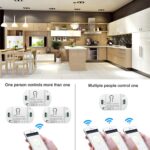
Smart Wi-Fi Home Switch Led Light Universal Module DIY Smart Life Wi-Fi Switch Supports 2 Way Control Work with Alexa Google Assistant Smart LifeFunctions:Remote ON/OFF: Turn electrical devices on/off from anywhereApp Support: Free IOS and Android mobile App Smart LifeSync Status: Real time device status provided to AppTiming: Set scheduled/countdown timers to turn on/off at specified timeShare Control: Control your smart home together with your familyScene: Turn on/off a gang of devices one tapSmart Scene: Trigger on/off by temperature, humidity or other environmental conditionsNetwork Support: Control electrical devices over Wi-Fi or 2/3/4G mobile networkVoice Control: Works perfectly with Amazon Alexa

 SMART LIFE APP Pairing Instruction
Download “SMART LIFE” app in APP Store for iOS or in Google play for Android.Cut off the power before installing the device. Then power it up after completing the installation.Press the button for 6 seconds until the LED indicator on it flashes quickly.It will auto-search and connect the device.Input home Wi-Fi SSID & password.Name the device to complete.
Works with Am-azon Alexa & Google Home Assistant
Control your device through your voice
1.Download Amazon Alexa APP2. Enter your SMART LIFE account and log in.3. All the devices supported by voice control under your account display on Alexa App or Google Home App.4. Name the devices to complete.5. Now, control the connected devices with voice commands.“Alexa, turn on the light.”“Hey Google, turn off the bedroom light.”……
Name Tuya Smart Switch Manufacturer RODOT Part Number KR2201WB Material ABS Voltage AC110V /220V Wattage 2200 watts Wireless networking WIFI (802.11 B/G/N2.4GHZ) APP Smart Life

App Remote Control
Via free Smart Life or TUYA Smart App. You can download the iOS version in App Store and the Android version in Google Play. The App Smart Life enables you to control your devices easily .

Share Control
Share control of your home appliances to your family or friends so that they can also control the devices remotely.

Timer & Schedule.
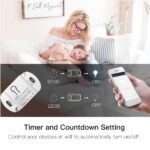
Another feature available if to set timing schedules for the appliances, which can include countdown, scheduled on/off .It’s simple, giving you one less thing to worry about in your busy life. Control your devices at will to automatically turn on/off.

LAN Control
Use LAN control function to turn on/off the device when there is no Wi-Fi network.

DOWNLOAD SMART LIFE APP Power on the smart switch and make sure that the phone is connected to the Wi-Fi network in the 2.4GHz frequency band; turn on the phone’s Bluetooth. Make sure that the device, mobile phone, and router are close to each other. Download and open the App:Search for “Smart Life” in the App Store or scan the QR code below to download and install the App;For the first download and use, please click the “Create New Account” button to register;If you already have an account, click the “Log in with an existing account” button.

ADD DEVICE TO “Smart life” APP Reset the smart switch: Press and hold the button on the smart switch for more than 6 seconds until the LED indicator on it flashes quickly.Open the “Smart Life” APP, click the “+” in the upper right corner to enter the device addition page, and then select “Auto Scan” (please turn on the Bluetooth function of the phone before performing this operation) to start searching for nearby devices to be added. After discovering the device to be added , The icon and name of the device will appear on the APP page or a prompt page will pop up, then please follow the APP prompts to add the device.After the smart switch is successfully connected to Wi-Fi, you can see the newly added device on the home page of the Smart Life APP.

HOW TO CONNECT TO THIRD-PARTY APPLICATIONS SUCH AS ALEXA AND GOOGLE ASSISTANT?
When using a third-party smart speaker to connect, you first need to download the third-party APP and register an account, such as Amazon Alexa; then add the device in the “Smart Life APP”, open the device control page, click the upper right corner (see the picture below), and then Jump to the device information page, where you can change the name of the device, and you can see the details of the third-party controlled APP supported by the device, select the APP you need to connect, such as Alexa, click the icon to enter the binding interface, and then press The page prompts the operation.
Package Dimensions : 8.5 x 7.5 x 2.5 cm; 80 g
Date First Available : 27 November 2024
Manufacturer : TERRIFI
ASIN : B0DP569W7F
Manufacturer reference : FUW-2289
Best Sellers Rank: #42,523 in Tools & Home Improvement (See Top 100 in Tools & Home Improvement) #441 in Electrical Wall Switches
Customer reviews: 5.0 5.0 out of 5 stars 1 rating var dpAcrHasRegisteredArcLinkClickAction; P.when(‘A’, ‘ready’).execute(function(A) { if (dpAcrHasRegisteredArcLinkClickAction !== true) { dpAcrHasRegisteredArcLinkClickAction = true; A.declarative( ‘acrLink-click-metrics’, ‘click’, { “allowLinkDefault”: true }, function (event) { if (window.ue) { ue.count(“acrLinkClickCount”, (ue.count(“acrLinkClickCount”) || 0) + 1); } } ); } }); P.when(‘A’, ‘cf’).execute(function(A) { A.declarative(‘acrStarsLink-click-metrics’, ‘click’, { “allowLinkDefault” : true }, function(event){ if(window.ue) { ue.count(“acrStarsLinkWithPopoverClickCount”, (ue.count(“acrStarsLinkWithPopoverClickCount”) || 0) + 1); } }); });
✅【App Remote Control】Easily control your appliances remotely with the Switch via the free Smart Life or TUYA Smart App. Download the iOS version from the App Store or the Android version from Google Play.
✅【Timer & Schedule】Set timing schedules for your appliances with the Switch. Enjoy the convenience of countdown and scheduled on/off settings, making your busy life easier.
✅【Hands-free Voice Control】Experience hands-free control with Alexa and Google Home. Simply use your voice to turn lights on/off with the smart switch.
✅【WIDELY USE】The Wifi Smart Switch is compatible with 97% of household appliances and lamps. With network connectivity, you can remotely control your home appliances from anywhere, anytime.
✅【Universal DIY】The Wifi Smart Switch is compatible with any household appliances (100-240V AC, max current 10A, max wattage 2200W). It also offers DIY capability for users with basic electrician knowledge.






Reviews
There are no reviews yet.